Introduction
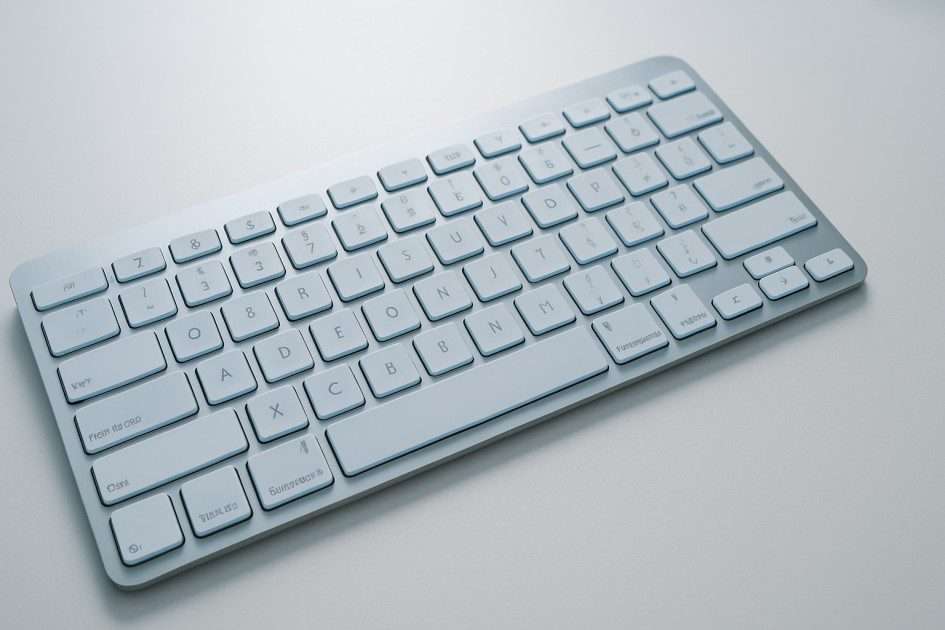
A keyboard is one of the most essential parts of a computer, acting as an input device that allows users to type words, commands, and perform countless tasks. From sending an email to creating complex documents or even playing games, the uses of keyboard extend far beyond basic typing. It is a key instrument that bridges human thought with digital action. In everyday life, the keyboard contributes to work, learning, and communication, serving as a beneficial tool for people of all ages. Whether used for text input, programming, or creative purposes, the keyboard plays a vital role in modern computing.
Let’s explore the major uses of keyboard in computers and daily life to understand why this simple device remains such a powerful tool.
Table of Contents
- What Is a Keyboard?
- Main Uses of Keyboard
- Uses of Keyboard in Computer
- Uses of Keyboard in Daily Life
- Uses of Keyboard in Gaming
- Uses of Keyboard Shortcuts
- Types of Keys and Their Uses
- Importance of Keyboard in Modern Computing
- Conclusion
- Frequently Asked Questions (FAQs)
What Is a Keyboard?
A keyboard is an input device used to enter text, numbers, and commands into a computer system. It converts keystrokes into digital signals that the computer hardware can interpret. Acting as a modern version of a typewriter, it helps users employ specific keys to perform desired actions.
According to Wikipedia, a keyboard is one of the primary interfaces between humans and computers, enabling fast, accurate communication and control.
In early computing, keyboards were connected through wired interfaces, but modern devices now include HTML5-based virtual keyboards and wireless versions, offering flexibility and ease of use. The purpose of a keyboard remains the same—to help users utilize a computer effectively, enhancing their enjoyment and productivity in both personal and professional settings.
Over time, keyboards have evolved in form, layout, and design, adapting to user needs and technological innovations. Learn more about the history of keyboard.
Main Uses of Keyboard
The uses of keyboard are broad and practical, touching nearly every aspect of digital life. Primarily, it helps users interact directly with the computer by typing words, commands, and phrases. Typing is its most common use, but the keyboard also serves as a controller for shortcuts, programming, and even creative work like music composition or video editing.
From an educational perspective, students use keyboards for assignments, research, and online exams. Professionals rely on it for office work, report writing, and data handling. For designers and developers, the keyboard acts as an essential instrument for coding and executing functions.
In modern computing, keyboard functions such as shortcuts (Ctrl + C, Ctrl + V) improve productivity and make complex tasks faster. Its importance extends beyond convenience—without a keyboard, human-computer interaction would be significantly limited. As technology progresses, keyboards continue to adapt to new devices, offering distinctive forms for desktops, laptops, and mobile systems.
Uses of Keyboard in Computer
When it comes to computers, the uses of keyboard in computer operations are vast. It is the main input device for writing, editing, and executing commands. People use it to type text documents, prepare spreadsheets, and browse the web efficiently. In offices and schools, it’s vital for data entry, calculations, and preparing digital presentations.
The keyboard also helps navigate software applications—users can use shortcut keys for actions like copying, saving, or refreshing a page. From developers working in coding environments to writers drafting blog posts, the keyboard remains a trusted tool that supports productivity and precision.
Even within computer operations, keyboards can perform system-level functions, such as restarting a computer or opening the task manager through specific combinations. These actions show that the keyboard is not just about typing—it’s a powerful interface between human thought and computer response.
Uses of Keyboard in Daily Life
In everyday routines, the keyboard in daily life plays an equally crucial role. It supports communication through messaging apps, emails, and social media posts. People use it to express themselves with words, share thoughts, or respond to online discussions.
For students, keyboards make education easier—assignments, digital exams, and online learning all rely on efficient typing. In workplaces, they are essential for office work, such as preparing reports, maintaining records, and coordinating through emails.
Beyond work and study, keyboards are used for browsing the internet, searching for information, or even enjoying entertainment services like music, streaming, and gaming. The device truly fits into modern lifestyles, making digital interaction simple and intuitive.
Uses of Keyboard in Gaming
The uses of keyboard go far beyond writing and working — they also play a huge role in gaming. Many gamers prefer keyboards because of their precision, speed, and tactile feedback. In the gaming world, each key functions like a verb — performing an action, moving a character, or executing a command instantly. Whether it’s a strategy game, first-person shooter, or simulation, the keyboard offers exact control that enhances gameplay.
Modern gaming keyboards are designed with special features like mechanical switches, RGB lighting, and programmable keys that provide a distinctive form and advantage for competitive players. Certain uses, such as macro key customization, allow gamers to employ their keyboard for complex in-game sequences. Just as words are essential for communication, keys are vital for digital interaction, making the keyboard an indispensable instrument in the gaming ecosystem.
Uses of Keyboard Shortcuts
Keyboard shortcuts are a true example of how efficiency meets simplicity. They transform long sequences of actions into quick, effortless combinations. For instance, the classic shortcuts like Ctrl + C, Ctrl + V, and Ctrl + Z are well-known phrases in the computing world. Each shortcut represents a practical application of the keyboard’s power — turning the simple act of pressing keys into meaningful commands.
Shortcuts are particularly beneficial for people who work across multiple browser tabs, text editors, or creative software. They not only save time but also minimize the need for repetitive mouse actions. As Merriam-Webster.com Dictionary defines “use” as a verb meaning to employ for a purpose, keyboard shortcuts truly embody this definition — users utilize them to achieve specific ends quickly and effectively.
Even in HTML5-based web applications and audio editing programs, shortcut keys help improve productivity. It’s a clear example of how keyboards adapt to modern needs, balancing speed and accuracy in the practice of daily computing.
Types of Keys and Their Uses
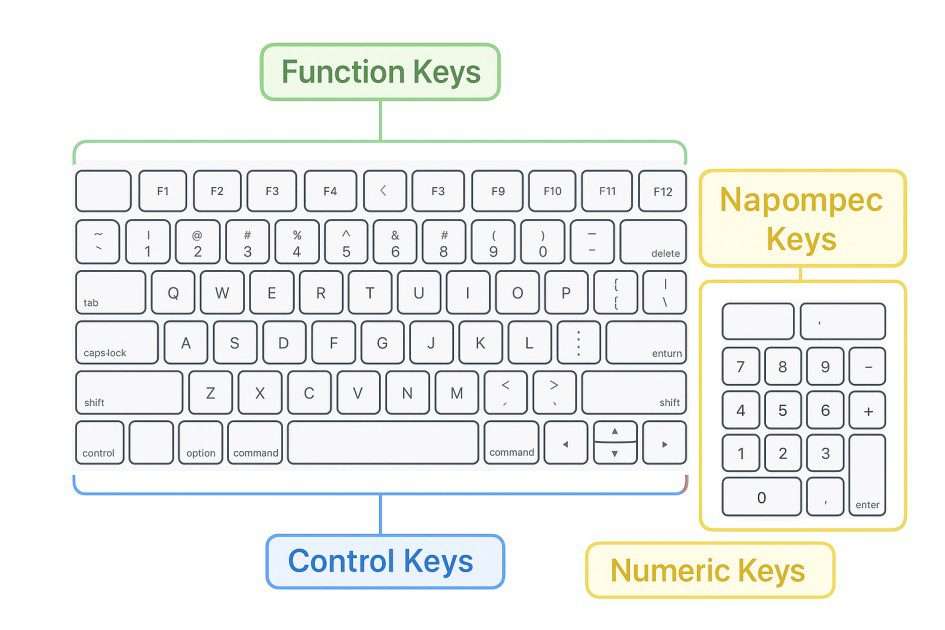
A keyboard is divided into several key groups, each serving its own purpose and function.
Alphanumeric keys: Used for entering words, numbers, and phrases — the most common keys people use every day.
Function keys (F1–F12): Serve as shortcuts to specific commands or services in both software and operating systems.
Control keys: Include Ctrl, Alt, and Shift — these modify other keys to perform transitive or intransitive actions, depending on the program’s design.
Navigation keys: Help move the cursor, scroll, or jump across sections within a document or webpage.
Numeric keypad: Makes data entry faster, especially in office work and accounting.
Special keys: Such as Enter, Backspace, Spacebar, and Tab, each with unique properties that affect how input is processed.
Every key has a specific definition in the world of computing, much like a noun or verb does in a dictionary. The plural form of “keyboards,” as described by The American Heritage Dictionary, reflects their diverse forms, from traditional wired models to wireless and foldable modern designs.
Importance of Keyboard in Modern Computing
Despite the rise of touchscreens, speech recognition, and AI tools, the keyboard remains the most trusted input device in computing. It continues to hold legal ownership, so to speak, over text-based interaction, because it provides unmatched accuracy and control. From programmers writing complex code to students completing assignments, the need for keyboards endures.
Even new technologies such as HTML5 audio use or web-based editors still rely on keyboard inputs for commands, notes, and configurations. This beneficial enjoyment of typing helps users express themselves clearly, much like wonderful words in a well-written document.
In professional environments, the keyboard’s advantage is its reliability and adaptability — it performs well across languages, including English, Spanish, Arabic, Polish, and Turkish interfaces. Its legal definition of use, if one may borrow from English law, would describe it as an essential instrument of human–computer communication — an ownership of interaction in the modern trust between user and technology.
Conclusion
The uses of keyboard extend far beyond typing. It’s a device of purpose, practice, and precision, serving as both a creative and professional partner in the digital world. Whether used for education, communication, office work, or gaming, its importance cannot be overstated.
Just as language uses words, a computer uses keystrokes — forming a relationship that defines the way people work, learn, and create. Understanding the difference between each key’s function and applying it effectively allows users to unlock the full advantage of this remarkable device. Truly, the keyboard remains a wonderful tool that empowers users to achieve their own ends with efficiency and control.
Frequently Asked Questions (FAQs)
1. What are the five main uses of a keyboard?
The five main uses of keyboard include typing text, data entry, gaming, using shortcuts, and controlling software applications.
2. What is the most common use of a keyboard?
Typing and text input remain the most common uses, as keyboards are the primary way to communicate with computers and other digital devices.
3. What are the types of keys on a keyboard?
There are six major types: alphanumeric, function, control, navigation, numeric, and special keys — each designed for a distinct purpose.
4. How is the keyboard useful in daily life?
From writing emails and chatting online to performing office work, studying, or browsing, the keyboard helps people stay productive and connected every day.
5. Why is the keyboard still important in modern technology?
Even with touch and voice interfaces, keyboards remain vital due to their accuracy, speed, and compatibility across different platforms and languages.